Your cases, in your pocket.
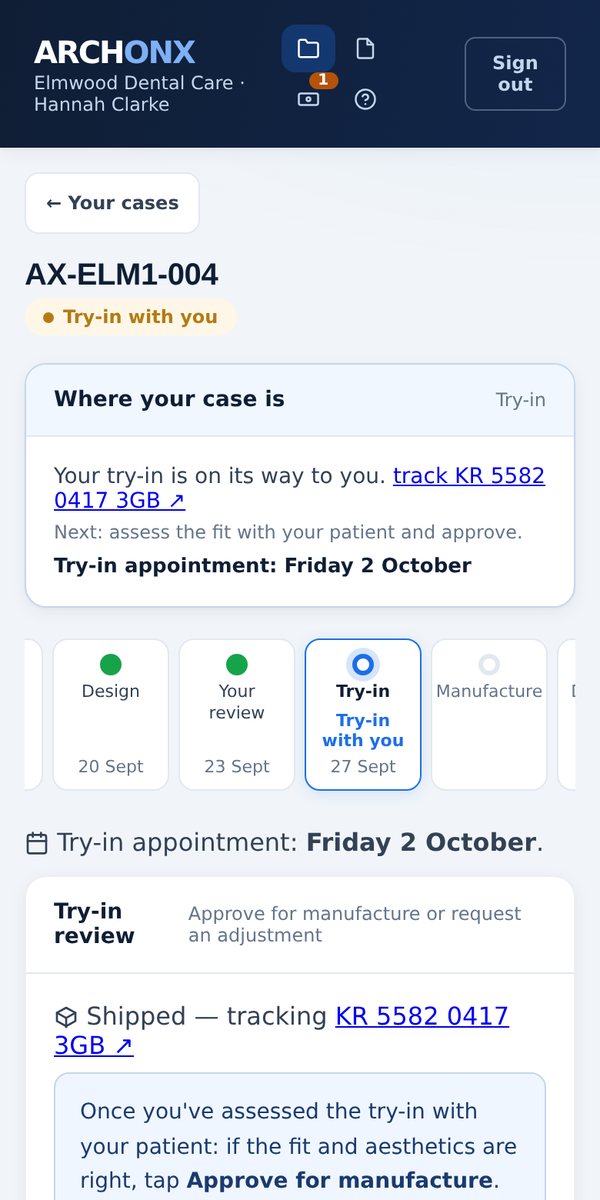
Every ArchonX case lives in one place: the notes, the approvals, the 3D design and every file. It runs in a browser, so there is nothing to install. We built it to be used one-handed on a phone in the surgery.
25 seconds in the live portal, on a demonstration practice.
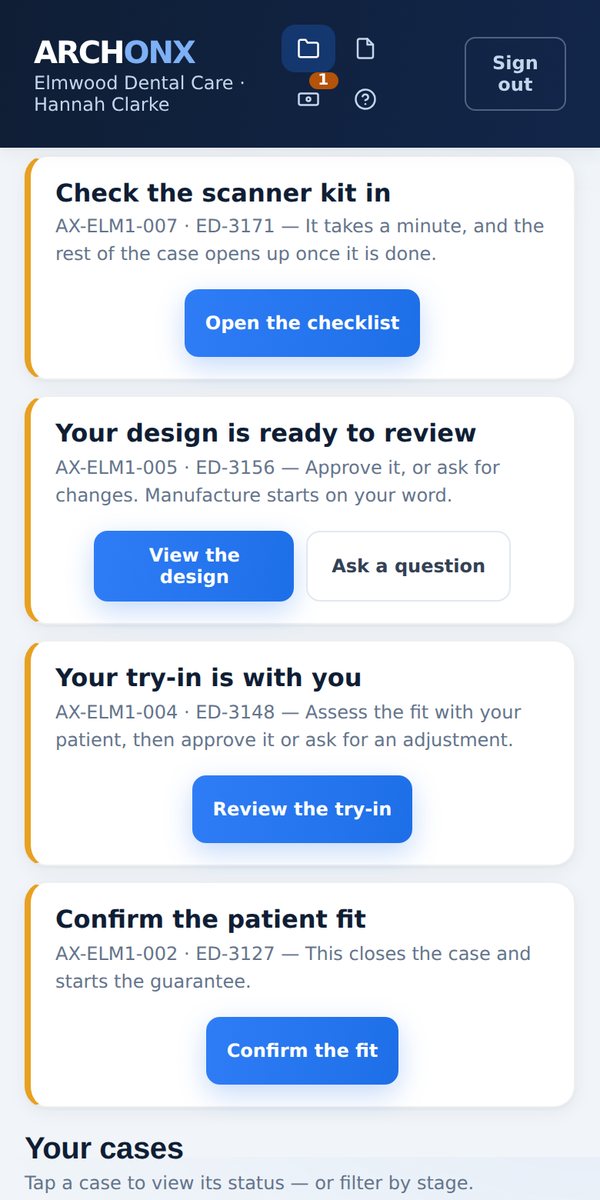
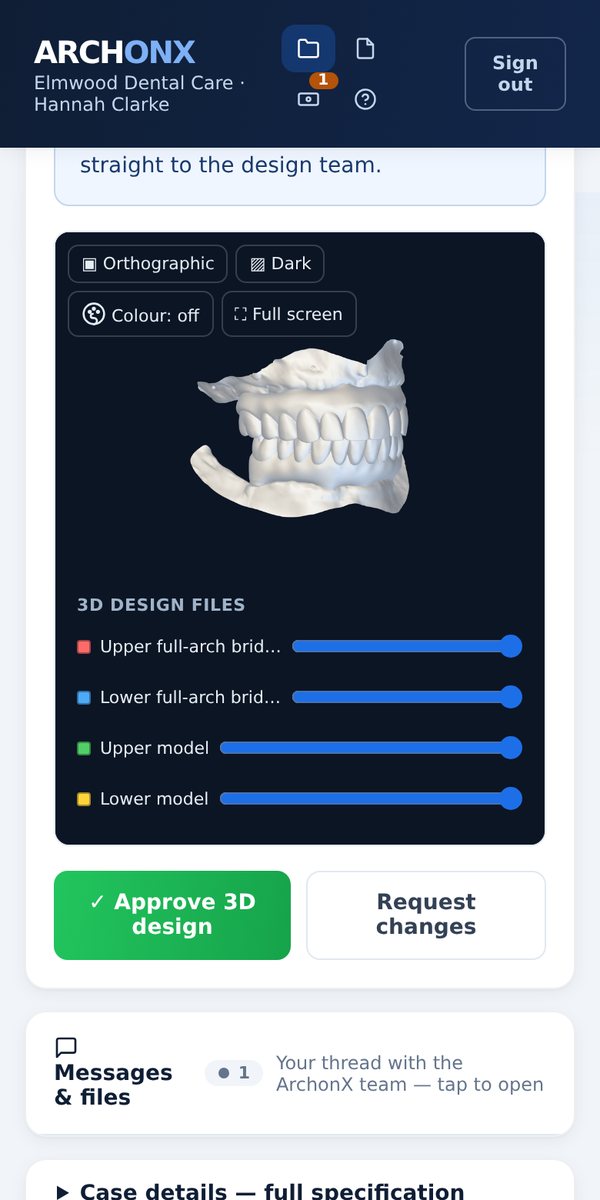
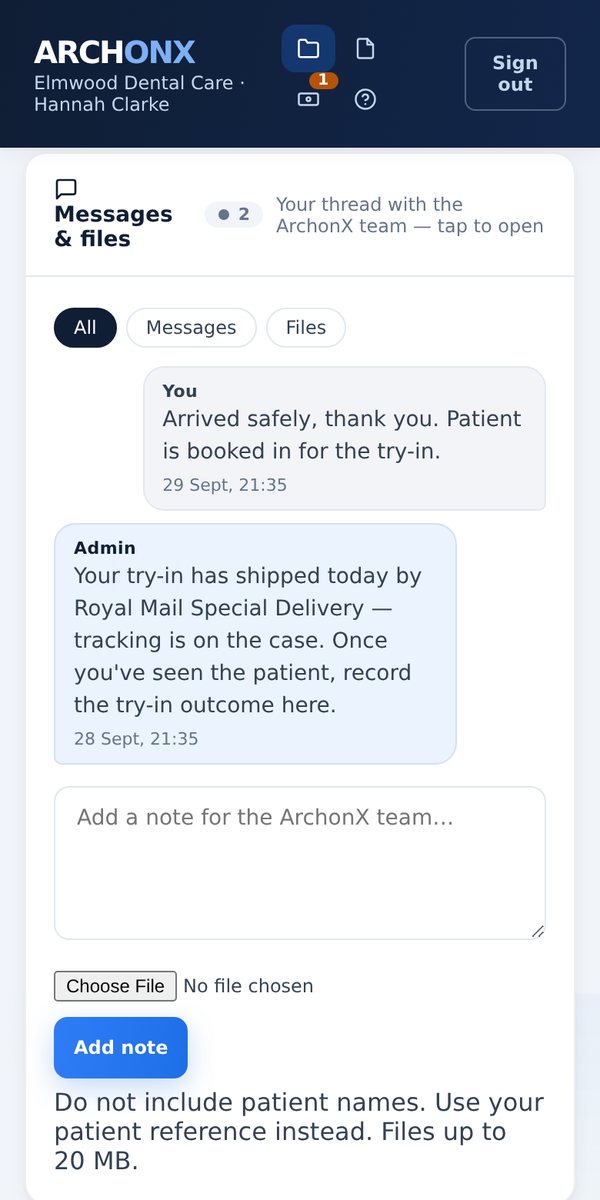
Made to be used standing up
Most lab portals are desktop software with a mobile stylesheet bolted on. We built this one the other way round. The phone comes first, because that is where you are when a decision is needed.
Nothing to install
It runs in the browser your phone already has. No app store, no IT request, no device management. Sign in and it's there, on any phone, tablet or laptop in the practice.
Approve with a thumb
Design approvals, try-in sign-off, delivery confirmation and the patient fit are single taps. The buttons run the full width and are sized for a thumb, not links you have to pinch and zoom to hit.
The 3D design, in your hand
Rotate and zoom the full restoration with your fingers, and fade each arch to inspect the other. It downloads only when you open it, so it does not eat your data.
One thread per case
Every message either way, every file, every decision and the date it was made, all attached to the case rather than scattered across an inbox. Open a case from two years ago and the whole conversation is still there.
Photograph straight from the camera
Where a case uses a 2D smile design, the patient portrait can be taken with the phone's own camera at the chair. Nothing to export, email or move onto a computer first.
Where the case actually is
A plain-English line at the top of every case says what stage it is at and what happens next, with the date that matters. No status codes to decode.
Notes, approvals and files, not three places
Everything a full-arch case generates lives on the case record, from the day you submit it to the day you fit it.
Four steps, and it prices itself as you go
Tell us the appointment and the restoration. The portal works out the scanner delivery, locks the scan posts to your implant system and shows you the price before you submit.
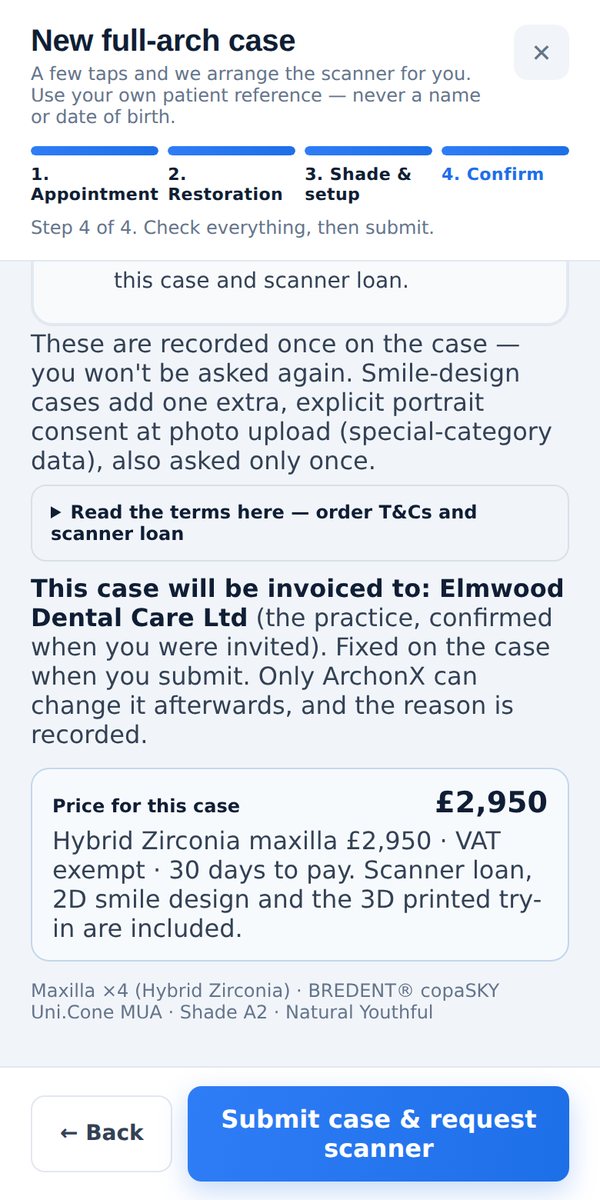
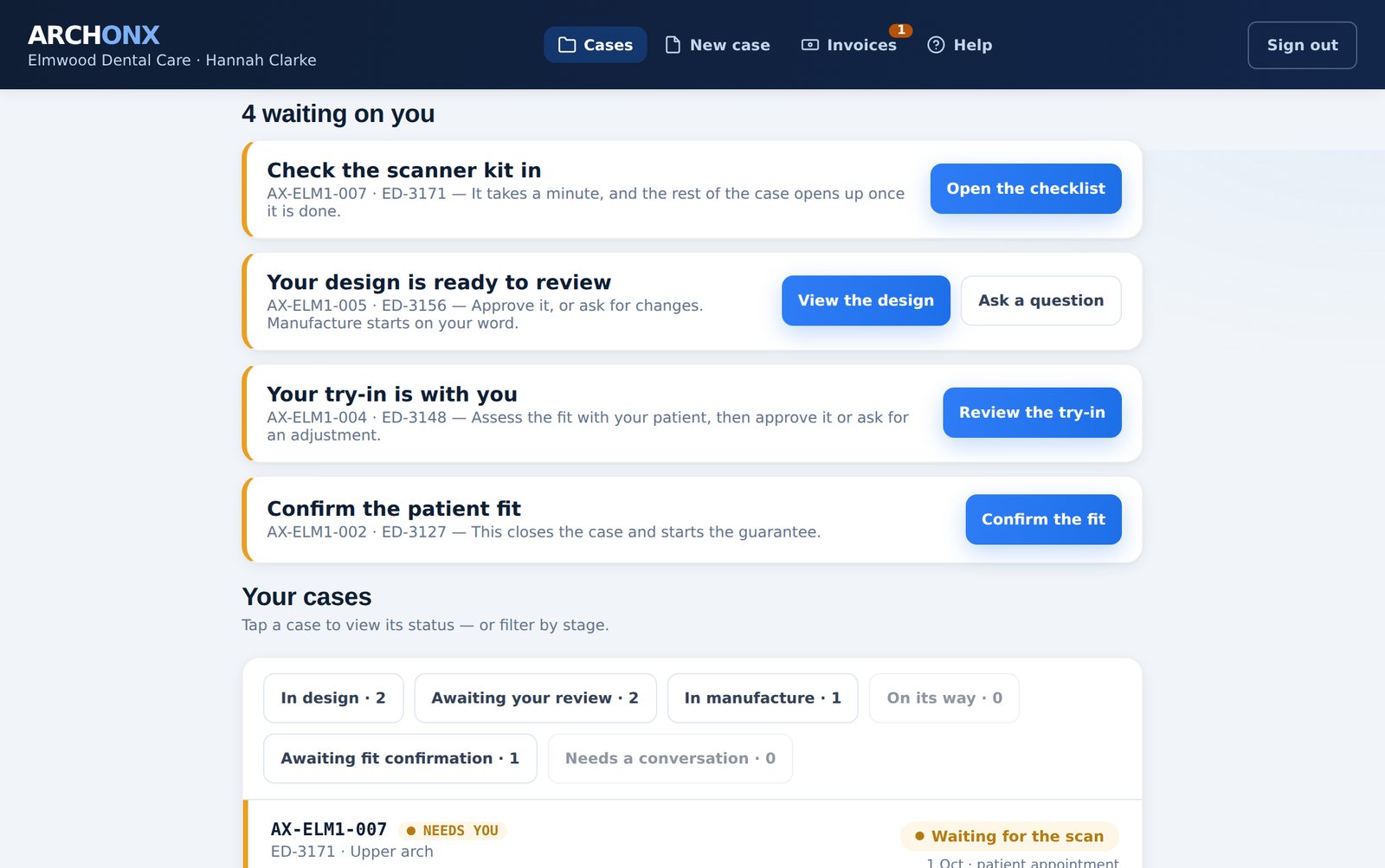
The same portal on a laptop
Same account, same cases, more room. Start a case on the practice computer and approve the design from your phone between patients. It's one system, not a mobile version of one.
See it with your own case
Register in a few minutes, confirm your email and sign in. You can submit your first case straight away. We check your practice before the first scanner is booked, usually within one business day. The scanner is booked in for your patient's appointment and we collect it afterwards, and there is nothing to buy.
Every screen on this page, and the video, is the live portal running a demonstration practice with made-up cases. Real patient data is never shown on this website. ArchonX works from your own patient reference, not names or dates of birth.